
Author Archives: Stephanie Davis-Kahl

Places & Spaces around Ames

One of the great things about the library is the choices for study and conversation spaces.
Here are a few of our favorites:
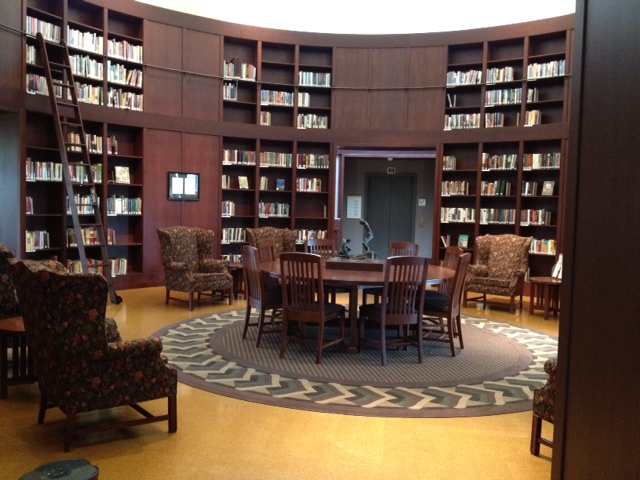
The Minor Myers jr Honors Collection resides in what students call the “Beauty and the Beast” room. The Collection includes award-winning books from a wide variety of organizations and disciplines, including poetry, biography, cookbooks, children’s literature and fiction.
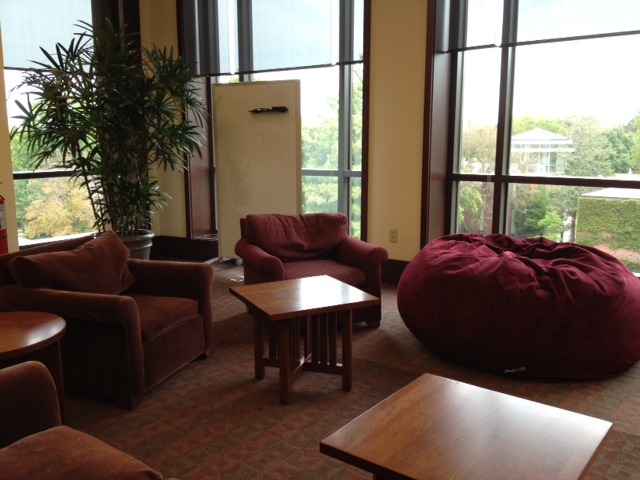
The Thorpe Center offers comfy seating, Mac computers, and a great view of the Ames Plaza.
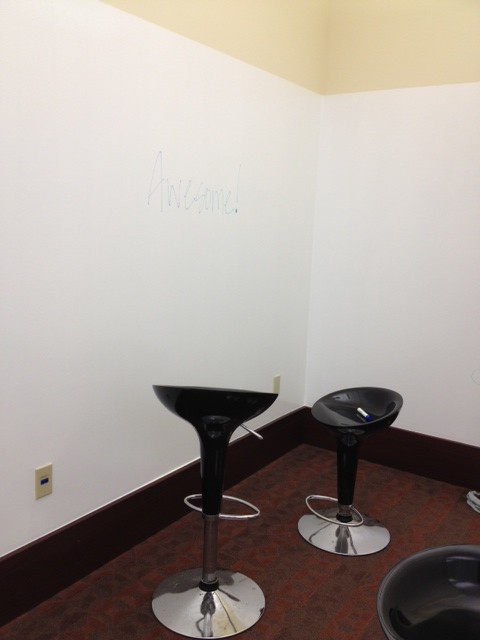
Using whiteboard paint, we transformed three small walls in Thorpe into a large whiteboard, complete with seating.
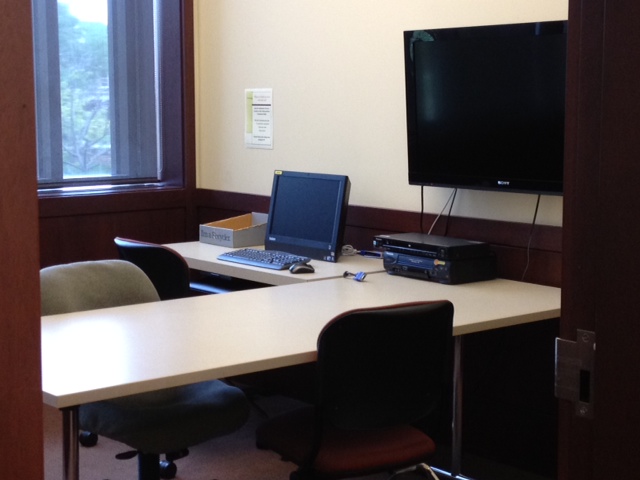
If you need to meet with a study group, you can reserve one of our three project rooms by calling Help@Ames (x3900). Each project room has a computer, screen and seating for 3-4 people. We also have group study rooms on the second, third and fourth floors of the library which are first come, first serve.
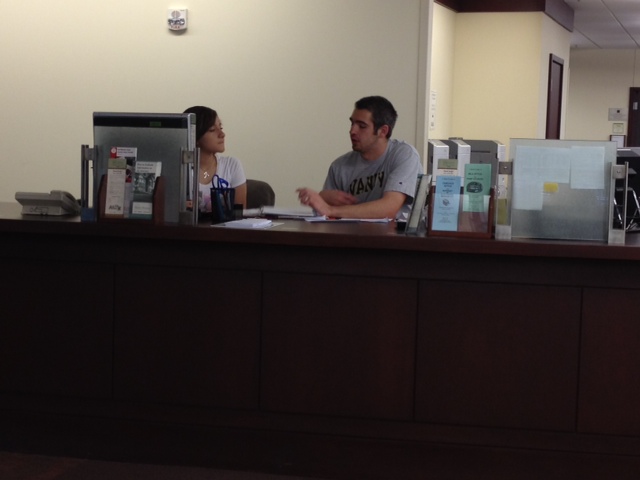
Help@Ames, located on the entry level near the Information Commons, provides both research assistance and technology support during library hours. You can learn about starting points for library research, connect with a librarian, install your wireless client, or reserve a project room at the Help@Ames Desk.


Text-A-Question @ (309) 468-4645

New at the Ames Library!

Need a quick fact? Want to know if the library is open or help with a technology question? Can’t find a certain journal title? Next time text your question (309) 468-4645 Help@Ames.

Summer Hours For Ames

Our summer hours, posted online, begin Tuesday, June 1.  Also, we will have a scheduled power outage during the afternoon of Wednesday, June 2.  The building will be open, but not all services will be available.

Don’t forget that you can use our online resources from anywhere in the world over the summer!  We hope you have safe and enjoyable travels, and look forward to seeing you back in the fall!

Congratulations to Michael Gorman and Linda Martin!

Congratulations to Michael Gorman, senior Computer Science major (with an “unofficial” concentration on graphic design) for his winning re-design of the Digital Commons banner!  The judges thought Michael’s design was “clean and sharp,” and communicated “a feeling of openess and access.”  The new banner will be used in both online and print marketing materials.

Linda Martin, senior English major with a minor in Psychology, won second prize for her re-design.  Judges thought her entry “had a nice energy and seemed to reflect a transfer of ideas and information.”

Thank to Michael and Linda for their entries, and thanks also to the judges of the contest: Joanne Diaz (English), Mark Criley (Philosophy), Bob Geraty (Admissions), Gary Schwartz (University Communications) and Karen Schmidt (Ames Library).

Using Technology to Teach Contemporary Political Conflicts

March 31, 2010

4:00 pm – 5:15 pm

Thorpe Center, Ames Library

Can YouTube, Facebook, or Second Life teach us new ways of exploring the dynamics of protracted political conflicts, such as the Israeli-Palestinian conflict? The objective of this session is to explore new ways of using technology to expand our intellectual and pedagogical understandings of conflicts. For example: does Palestine exist in Second Life, and if so, what does it look like? What are the Israeli/Palestinian narrative representations on YouTube, and how can those skew American public opinion? What role, if any, does web 2.0 have to play in how we teach and learn about the dynamics of conflicts?

In this session, Ronnie Olesker , Assistant Professor of Government at St. Lawrence University, will present how she has incorporated the technologies above into her teaching about the Israeli-Palestinian conflict in particular, and what avenues of further research she continues to explore. She will then facilitate a discussion on ways in which user-generated media can affect conflict dynamics and the way we teach conflict in the classroom.

This NITLE session, sponsored by The Ames Library and the Teaching, Learning and Technology Roundtable, is open to faculty, staff and students.

Design a New Banner for Digital Commons

The Digital Commons Team at Ames Library invite faculty, staff and students to redesign the banner for Digital Commons (pictured above).  We’re looking for a banner that communicates the intellectual vibrancy and creativity of students, faculty and staff in our campus community.

Digital Commons @ IWU is an online archive of student and faculty work that reflects the nature of the intellectual, creative and scholarly culture of our campus. DC@IWU serves also as the central location for University records and campus history.  For our goals, please visit the Digital Commons homepage.

When we think of DC@IWU, words that come to mind are: open access, sharing, scholarship, intellectual, creative, preserve, students, faculty, scholarship, community, excellence, safe, secure, findable, citable, easy to share.

Required Technical Criteria

Size: 980px wide and 125px in height

Format: Please submit your entry in Illustrator. The winning entry will be converted to jpg for the web.

Other: Please reserve a 520 pixel area on the left hand side of the banner for the banner text. The banner text changes as you move through the different collections in Digital Commons. For example, the home page banner text reads “Digital Commons,” but the text for the alumni magazine reads “Illinois Wesleyan University Magazine

Prizes

The winning entry will be the new logo for Digital Commons @ IWU and will be used for print marketing materials as well. Visa gift cards will also be given to the winning entry, second place and third place.

Submission of Entries:

Please send your entry via email to: Stephanie Davis-Kahl at The Ames Library.

Deadline/Announcement of winner:

The deadline for entries is 11:59 pm on Monday, April 12. The winners will be contacted via email and announced on the Ames Library Blog on Friday, April 23, 2010.

Judges

Members of the Library Advisory Committee, University Communications and the Digital Commons Team will judge entries and select the winners.

Questions?

Please contact Stephanie Davis-Kahl.

Thanksgiving Hours

Hours over the Thanksgiving Break are as follows:

  • Tuesday, November 24th: 7:45 a.m. – 4:30 p.m.
  • Wednesday, November 25th – Saturday, November 28th: CLOSED
  • Sunday, November 29th: 6:00 p.m. – 1:30 a.m.

If you need research help, a librarian will be available Sunday, November 29 from 7 pm – 9 pm.

Have a relaxing few days off!

Corrections to APA Style Manual

The latest edition of the APA Style Manual has a large number of errors.  The library is working on getting replacement copies from the second printing.  Until then, a list of corrections can be found online at on the APA Style website.  The APA Style Blog is also a helpful source of information about the new rules, including use of DOIs, citing Twitter, Facebook, and Kindles, and new reference list style for works with more than seven authors.

Learning about Three Cups of Tea

This year’s Summer Reading Program selection, Three Cups of Tea, tells the story of Greg Mortenson and his amazing work bringing schools to remote areas of Pakistan and Afghanistan. Check out the library’s resource guide to learn more about Mortenson, the Central Asia Institute, and how you can help.

Online Access to Science and Nature

The Ames Library is happy to announce enhanced online access to Science and Nature is now available directly from the publishers’ web sites!

Science is now available online from 1997 to the most recently published issue.  Older issues (1880-1996) are available through JSTOR (an online journal archive).

Nature is now available online from 2005 to the most recently published issue.  Older issues (1997 to 2008) are available through the database Academic Search Premier.

Both publications offer IWU faculty, staff and students the option to create a personal profile and establish weekly web site updates via e-mail or RSS feeds.  Please note that for off-campus access, you must use the URL’s listed above to connect to the magazine through the campus proxy server.  Using this URL will allow you to sign into the University’s proxy server and access resources as if you were on campus.  You will be asked to log in with your MyIWU NetID and password once per session.